1
2
1
∞
Project App in action
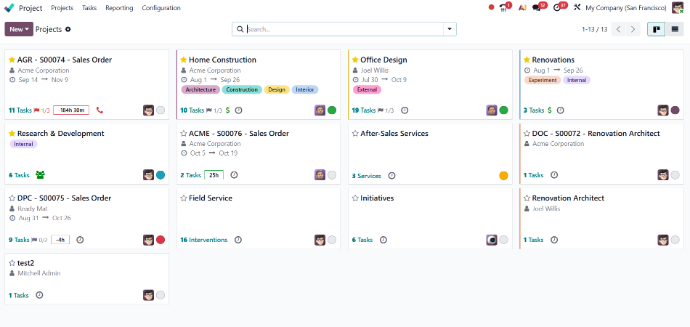
Tasks by stage
Every opportunity has an owner, value, and next action. Your whole team sees the same dashboard in real time.
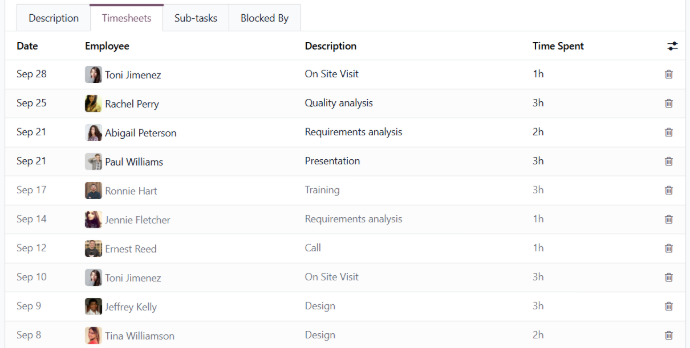
Break down large tasks
Tasks with assignees and subtasks that make them manageable.
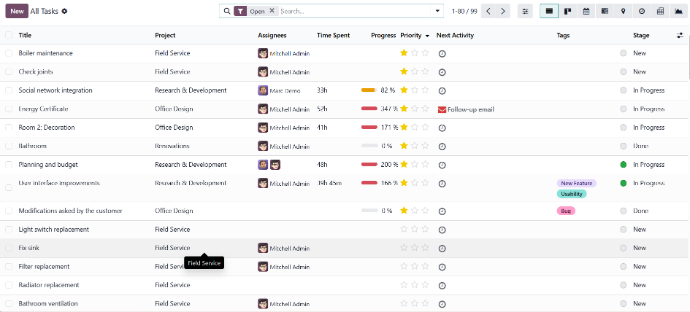
Visible progress
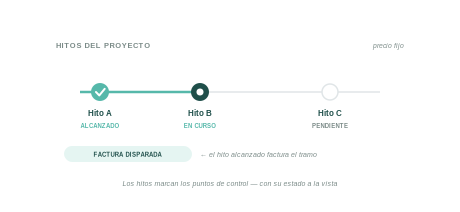
Project milestones with statuses — and their Invoicing links.
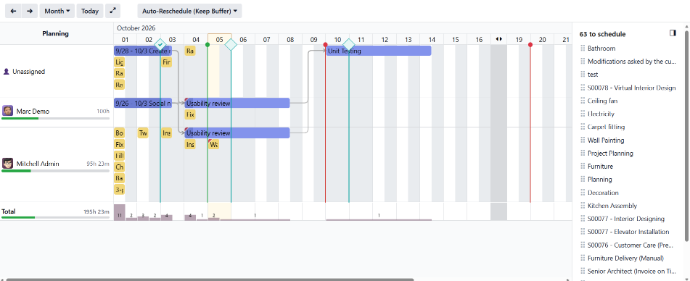
VIEWS
More than one way to view
From Kanban to Gantt: the same project, whatever view you need.
Work organized where everything else happens
Projects with tasks on a Kanban board
Project profitability: costs versus revenue
Everything your event needs, already included...
Stages tailored to you
Each project has its own stages — New, In Progress, Done, or whatever you need — which you can rename, reorder, add, or fold without affecting other projects.
Tasks that move
Tasks are the unit of work: assign them, move them across the Kanban board, and break complex work into smaller assignable subtasks.
Milestones with real consequences
Milestones mark project checkpoints — and on fixed-price projects, completion can trigger the corresponding invoice.
Profitability without a separate spreadsheet
Project dashboards compare the cost of logged hours and other expenses with invoiced and expected revenue — margins calculated automatically.
Time-saving templates
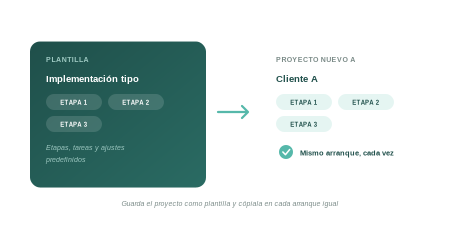
Save a well-structured project as a template, complete with predefined stages, tasks, and settings to reuse for every new project of the same type.
Event templates
Individual members, custom time-tracking, Invoicing, and subtask settings — each project governed as needed.
Progress you can reach
and the invoice is triggered
Milestones with status in one place
Fixed-price invoicing triggered by a milestone
Linked to the sales order
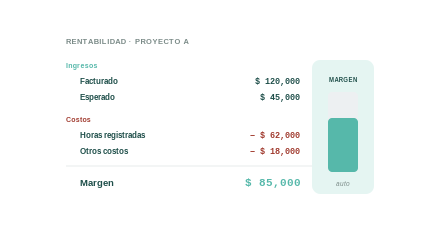
The project's profit margin,
calculated while you work
Labor costs and other expenses
Invoiced and expected revenue
Automatic profit margins by project
The project you already solved,
ready to repeat
Settings included in the template
A consistent start for every similar project
WHO IT'S FOR
If your projects live in spreadsheets nobody updates, this is for you.
Professional service firms and consultancies
Businesses needing real pipeline visibility without requesting manual reports every Monday.
Anyone working by project or delivery
Businesses handling website leads, calls, and referrals but missing opportunities through poor organization.
Teams with repeatable projects
Templates with ready-made stages and tasks for the next project launch.
Teams already using Odoo
FREQUENTLY ASKED QUESTIONS
What we get asked most before getting started
01 How is work organized?
In projects containing tasks. The default view is a Kanban board with stages as columns — dragging a card between columns changes the task's stage.
02 Are stages fixed?
No — stages are fully customizable per project: rename, reorder, add, or fold them. Each project follows the workflow it needs.
03 What happens with large tasks?
Divide tasks into subtasks: smaller assignable pieces within main tasks so teams can split work without losing context.
04 What are milestones for?
Milestones mark project checkpoints and display their statuses. On fixed-price projects, reaching a milestone can trigger Invoicing — enable the feature in module settings.
05 How do I know whether a project is profitable?
With the project profitability dashboard: compare costs (logged hours and other expenses) with invoiced and expected revenue to see your margin. Since timesheets and Sales live in the same system, calculations happen automatically.
06 Can I reuse a project's structure?
Yes — save it as a template: a reusable project with predefined stages, tasks, and settings copied into each new project of the same type, consistently and without setup time.


