∞
levels of nesting: parent and child articles organize complex topics
1
an editor with commands, attachments, and internal links between articles
0
scattered documents: knowledge is linked and easy to find
100%
all your documented processes: guides, policies, meeting notes, and manuals in one place
Knowledge App in action
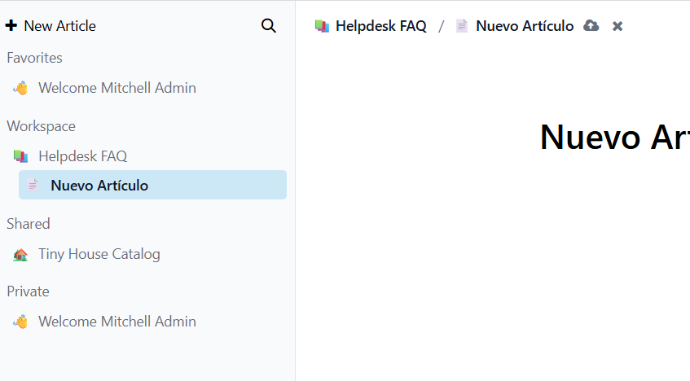
THE ARTICLE
Nested and organized
Parent and child article trees in the sidebar.
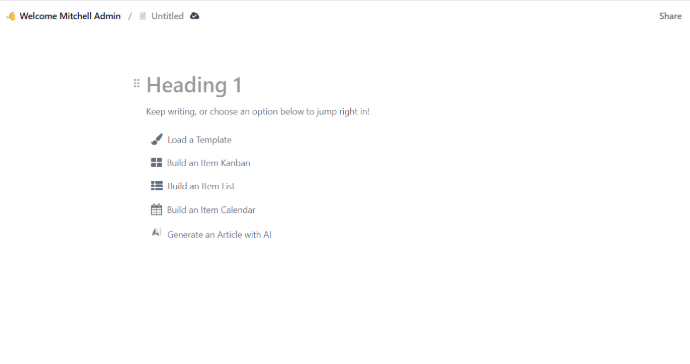
THE EDITOR
More powerful writing
Commands, attachments, and internal links in one editor
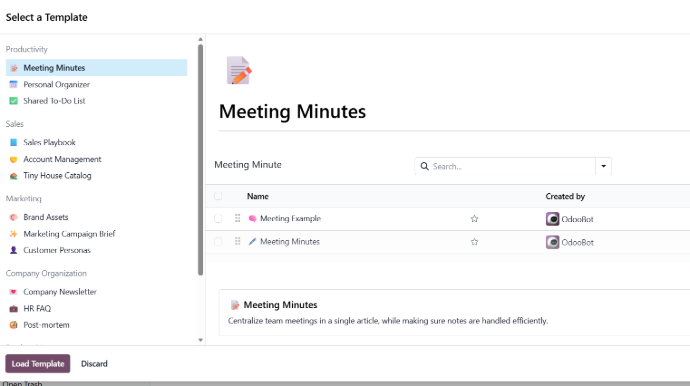
TEMPLATES
Standardize recurring work
Meeting minutes and briefs made from consistent templates.
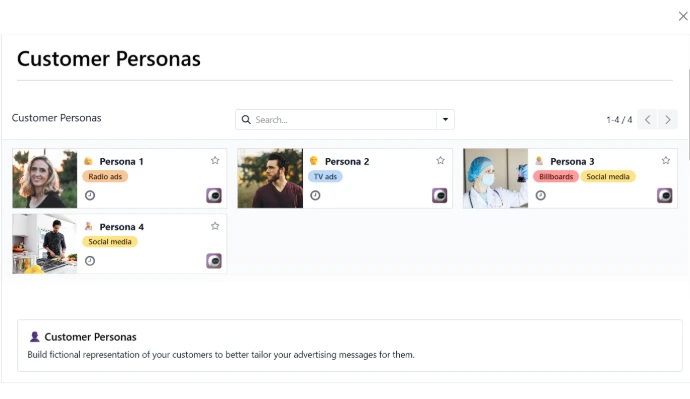
PROPERTIES
Data, not just text
Property fields that structure articles.
A wiki that lives where your work happens
Knowledge turns institutional know-how — procedures, policies, and guides — into a collaborative wiki within Odoo. Articles live in nested hierarchies, favorites save frequently consulted pages, and because everything is in the same system as your operations, documentation stops being the task you always postpone.
Collaborative knowledge base within Odoo
Articles nested in parent-child hierarchies
Editor with commands, attachments and internal links
Templates for standardized content
Properties that organize articles
Favorites and sharing with users or groups
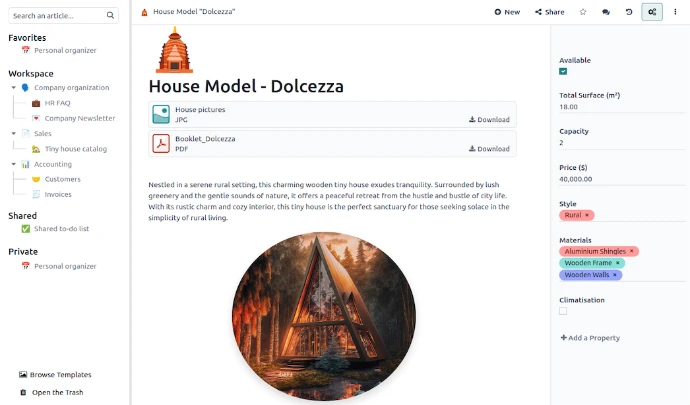
Everything you need, already included...
Hierarchies that organize content
Articles nest in parent-child hierarchies to organize complex subjects — turn large manuals into navigable articles rather than endless documents..
A powerful editor
Templates for recurring work
Meeting minutes, project briefs, standard forms: article templates standardize content your team creates repeatedly.
Structured properties
Articles support properties — fields that structure data within content so your wiki isn't just unstructured text.
Favorites within reach
Each user favorites frequently consulted articles — quick access to what's actually useful.
Share with the right people
Share articles with specific users, groups, or publicly when knowledge needs to go beyond the organization.
ARTICLES + HIERARCHY
The big topic
browse it, don't scroll through it
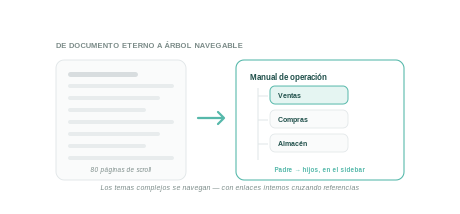
Nested hierarchies organize complex topics into parent and child articles: an 80-page operations manual becomes a navigable sidebar tree, with cross-references connecting articles.
Parent-child relationships between articles
Navigable tree in the sidebar
Internal links between articles
ARTICLES + TEMPLATES
The same old meeting minutes,
with the familiar format
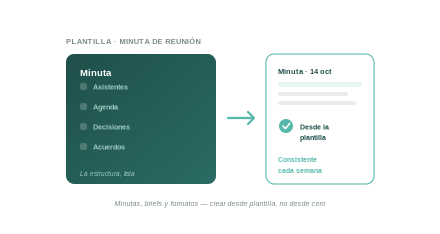
Templates standardize recurring content: meeting minutes with attendees, agenda, decisions, and action items; briefs with goals, scope, and timelines. Create articles from templates so every document of the same type reads consistently.
Templates for meeting notes, briefs, and forms
Consistent content across the team
Start from a template, not from scratch
CRM + WHATSAPP
Conversations where
your customer does respond
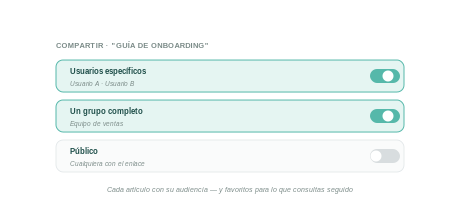
Share articles with specific users, groups, or publicly — and favorites keep frequently consulted knowledge handy. Onboarding guides for new hires, company-wide policies, public procedures for customers: each article has its audience.
User favorites for frequent items
Each article has its own audience
WHO IT'S FOR
If your company's knowledge lives in the heads of two people, this is for you.
Teams that document processes
Nested, linked, easily searchable guides and procedures.
New employee onboarding
Job manuals as browsable articles, not endless PDFs.
Teams living on meeting minutes and briefs
Templates standardizing what gets written each week.
Support with a public knowledge base
Shared articles so customers can find answers on their own.
FREQUENTLY ASKED QUESTIONS
What we get asked most before getting started
01 What is the Articles app?
Odoo Knowledge: a collaborative wiki for procedures, policies, and institutional knowledge, organized into articles within the same system that runs your business..
02 How are articles organized?
In nested hierarchies: parent-child relationships break complex topics into articles browsable from the sidebar, with grouped sections and cross-referenced internal links..
03 What can I put in an article?
What the editor supports — plenty: command-based text editing, attachments embedded directly in content, internal article links, and data-structuring properties.
04 What are templates for?
Standardize recurring content: meeting minutes with attendees, agendas, decisions, and action items; briefs with goals, scope, and timelines — use templates so everything stays consistent.
05 Can I share articles?
Yes — share with specific users, groups, or publicly depending on each article's audience. Favorites keep frequently consulted articles close at hand..
06 How is it different from Documents?
Documents manages existing files — PDFs, images, scans; Knowledge creates knowledge — written, linked, evolving wiki content. Together, they cover records and know-how.


