3
steps in every online purchase: sale, delivery, and invoicing
1
automatic follow-up emails to recover every abandoned cart
2
cross-selling opportunities: optional products when adding to cart and accessories when reviewing the order
0
reentering data: an online order is the same sales order used by your system
eCommerce in action
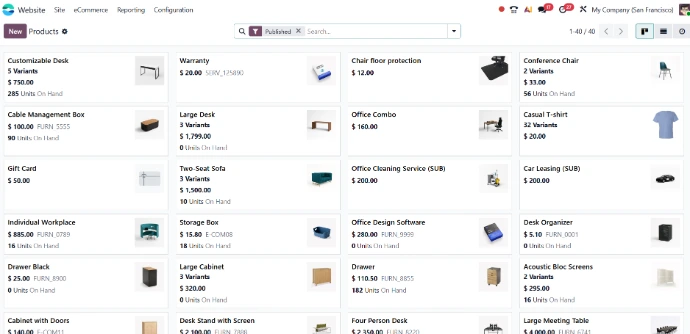
PRODUCT
Your catalog, published
Product pages with variants and Buy buttons, on your own website.
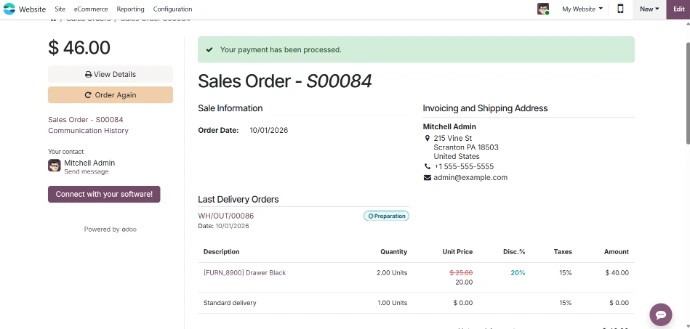
THE CHECKOUT
Clear steps through payment
Summary, address and delivery, payment, and confirmation — optional extra step.
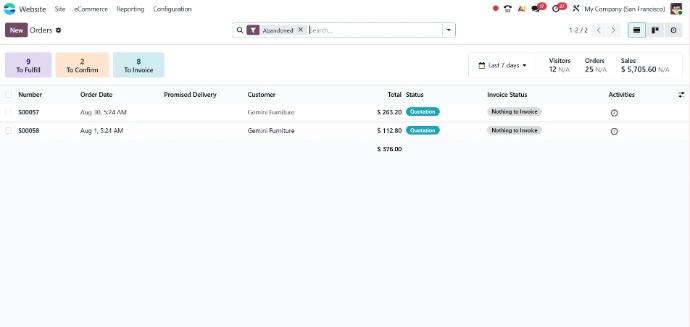
RECOVERY
Bring abandoned carts back
The abandoned-cart filter and follow-up email that recover sales.
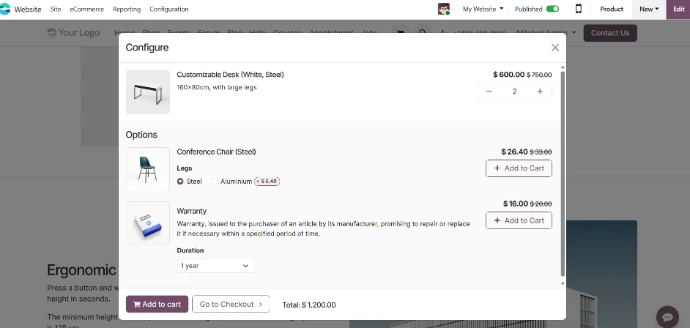
CROSS-SELLING
Optional products, accessories and alternatives
Recommendations at just the right moment: when adding items, during review, and on product pages.
An online store that's part of your system, not an add-on
Your Odoo store doesn't synchronize with your operation: it IS your operation. Every purchase begins as a quote, becomes a sales order upon confirmation, and follows delivery and Invoicing — with checkout, shipping, payments, and abandoned-cart recovery all in the same system.
Catalog published on your own website
Step-by-step checkout: summary, address, payment and confirmation
Shipping methods with costs calculated in the cart
Payment providers connected to checkout
Automatic emails for abandoned carts
Cross-selling: optional products, accessories and alternatives
Everything your event needs, already included...
1
The complete workflow
Every online purchase follows three steps: sale, delivery, and invoicing. The website order is the system order, progressing from quotation to confirmed, paid order.
2
Step-by-step checkout
Order summary, address and delivery, payment, and confirmation — with an optional extra-information step and Buy Now button for skipping straight ahead.
3
Abandoned carts that aren't lost
Enable abandoned-cart tracking: reminder emails go out automatically using customizable templates, and the abandoned-cart filter lets you see them all.
4
Sell a little more
Optional products at Add to Cart, suggested accessories during order review, and alternatives at the bottom of product pages — each technique at the right moment.
5
Shipping with transparent pricing
Shipping methods calculate their costs directly in carts and orders — with destination rules and restrictions on where you ship.
6
Returns included
The workflow handles stock availability, returns, and refunds — because selling doesn't end with payment.
STORE + ABANDONED CARTS
The forgotten cart
gets an automatic reminder
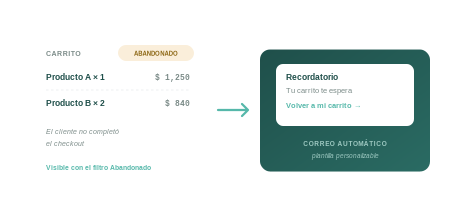
An abandoned cart is created when a customer adds items without completing checkout. With follow-up enabled, Odoo automatically sends a reminder email — using a customizable template — and the abandoned-carts filter shows everyone you can follow up with.
Automatic email with a customizable template
Abandoned-cart filter in orders
Applies to identified or logged-in customers
STORE + CROSS-SELLING
The right suggestion
at the right moment
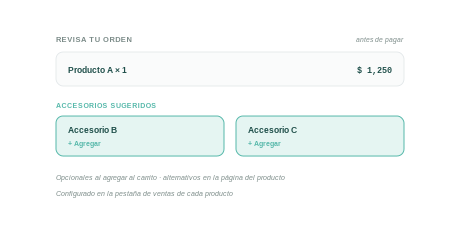
Three techniques, three moments: optional products appear when customers add items to the cart, accessories are suggested when reviewing the order before checkout, and alternative products appear at the bottom of the product page to offer a better option. Configure them all in each product's Sales tab.
Optional products suggested when adding to cart
Accessories suggested when reviewing an order
Alternatives at the bottom of the product page
STORE + SHIPPING AND PAYMENTS
Shipping costs are known
before paying, not afterward
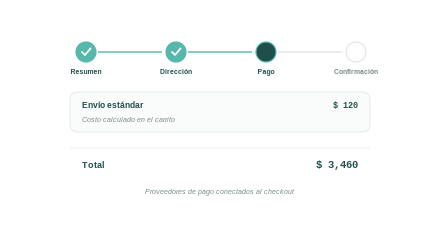
Shipping methods calculate costs directly in carts, giving customers and staff exact amounts before payment. Checkout uses connected payment providers — including cash on delivery if your business offers it.
Shipping cost calculated in the cart
Destination rules and restrictions
Payment providers at checkout
WHO IT'S FOR
If your store runs on a platform that knows nothing about your inventory, this is for you.
Retailers moving online
Your physical store's catalog, published and sold on your own website.
Businesses already selling but re-entering data
If every website order has to be re-entered into your system, this app eliminates that extra step.Manufacturers selling directly
Sell directly to customers, with delivery and invoicing already connected.
Businesses invoicing every sale
Online purchases that lead to invoices within one workflow.
FREQUENTLY ASKED QUESTIONS
What we get asked most before getting started
01 What happens when someone makes a purchase?
Purchases follow the full workflow: sale, delivery, and Invoicing. Before checkout, the transaction is a quotation; confirmation moves it forward, and payment turns it into a sales order — all within the same system, without re-entering information.
02 How does checkout work?
Step by step: order summary, address and shipping, payment, and confirmation — with an optional additional-information step. Enable Buy Now to let customers jump straight to the summary.
03 What can I do about abandoned carts?
When tracking is enabled, Odoo automatically emails reminders using a customizable template. See all abandoned carts with the sales-order filter. Reminders apply to customers who entered their details at checkout or signed in, and to carts created after the feature was enabled.
04 How do I recommend additional products?
With three cross-selling and upselling techniques: optional products shown when adding to cart, accessories suggested when reviewing an order before checkout, and alternatives at the bottom of the product page. Configure them per product in the Sales tab.
05 What about deliveries?
Delivery methods calculate shipping costs directly in carts and sales orders, with method-specific rules — and you can restrict destinations to areas you serve.
06 How do I collect payments?
Connect payment providers to checkout. Cash on delivery is also available when needed, and Invoicing is part of the same order workflow.
Your store connected to your entire operation


Sales
Every website purchase becomes a sales order in the system from the very beginning.

Tell us how you sell online today
A Wayakna consultant will review your situation and recommend the right implementation without unnecessary complexity.