2
maintenance types with separate workflows: corrective when equipment fails, preventive before it fails
3
automatic metrics per machine: MTBF, MTTR, and estimated next failure
1
an equipment profile: category, assigned technician, work center, and full history
0
unexpected downtime as the norm: scheduled preventive maintenance gets ahead of failures
Maintenance in action
DASHBOARD
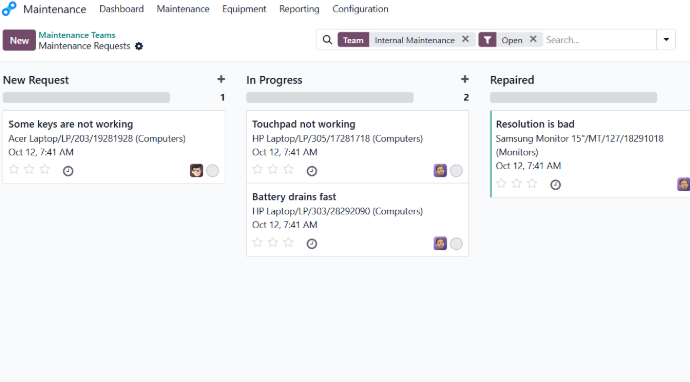
Requests by stage
The maintenance team's Kanban board of requests.
THE TEAM
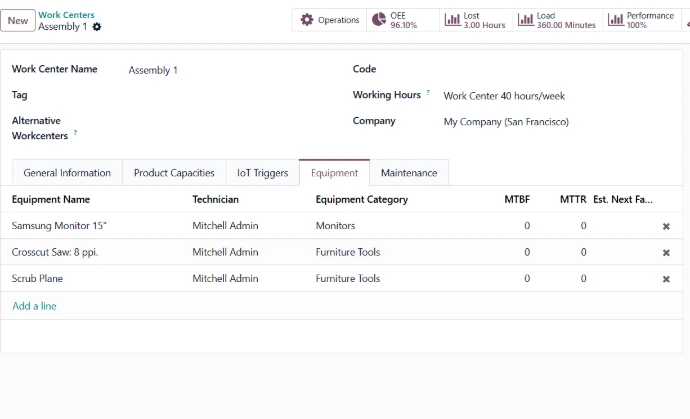
Every machine has its history
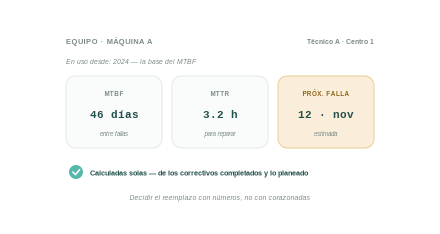
An equipment record with category, technician, and automatic metrics.
PREVENTIVE
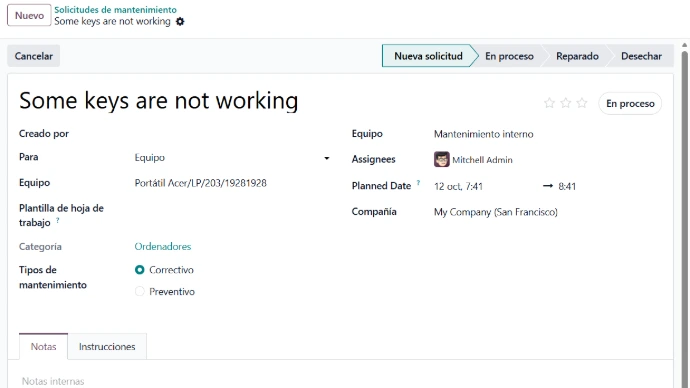
Planned, not improvised
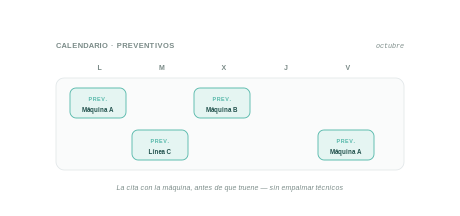
A calendar of maintenance scheduled before breakdowns occur.
CORRECTIVE
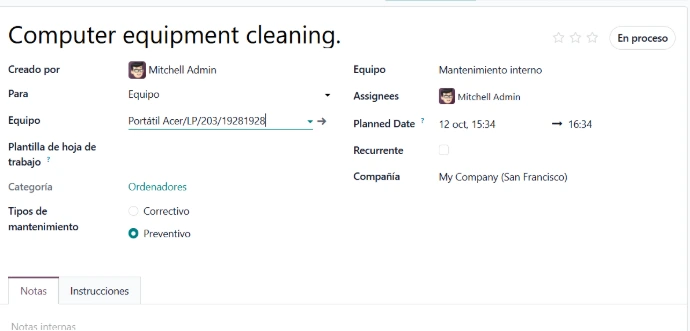
A clear workflow for every failure
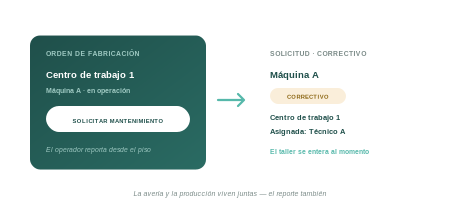
Requests any authorized user can submit.
Maintenance managed alongside production
In Odoo, equipment has a living record: category, responsible technician, work center, and in-service date — the MTBF baseline — plus all past and open requests one click away. Metrics calculate automatically from completed corrective jobs and planned preventive work; work centers show equipment with MTBF, MTTR, and estimated next failures.
Corrective and preventive equipment maintenance
Equipment with category, technician and work center
MTBF, MTTR and estimated next failure, calculated automatically
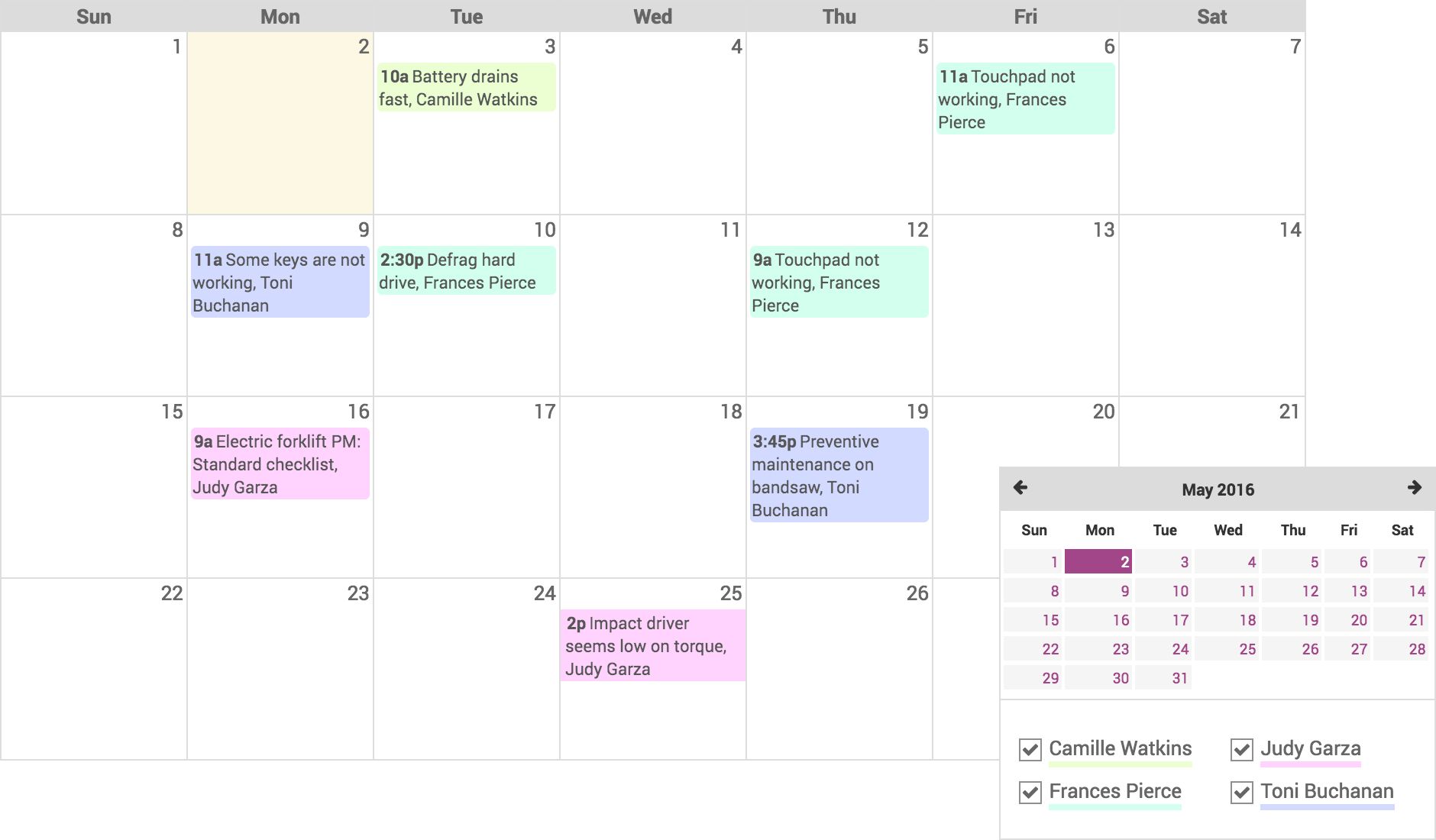
Requests in a stage-based Kanban board and calendar
Request history by team and category
Requests can also be submitted from Manufacturing
Everything you need, already included...
Two types, one system
Corrective maintenance fixes failures that have already happened; preventive maintenance is scheduled to avoid them — both handled as requests with workflows, owners, and records.
Equipment records
Every machine or tool has a category, responsible technician, and work center — plus a Maintenance button showing all past and open requests.
Metrics without separate spreadsheets
MTBF is calculated from completed corrective jobs using the in-service date as a baseline, MTTR measures repair time, and the next failure is estimated automatically.
Scheduled preventive maintenance
Preventive maintenance is scheduled and shown in a calendar — plan without double-booking technicians.
Anyone can report issues
Any authorized user can submit corrective maintenance requests when problems are found — operators who hear unusual noises don't need permission to report them.
Connected to Manufacturing
Reusing the same event format every year? Preconfigured templates speed up setup — or start from scratch for a brand-new event.
CUSTOM QUOTATIONS
The appointment with the machine,
before it breaks down
Preventive maintenance is scheduled by equipment and managed on a calendar: planned requests get ahead of breakdowns instead of chasing them — fewer unexpected stops, emergencies, and blocked work centers.
Calendar planning without overlaps
Fewer emergencies and bottlenecks
MAINTENANCE + METRICS
MTBF and MTTR,
calculated automatically
Each piece of equipment has automatic metrics: mean time between failures — based on completed corrective jobs and the in-service date — mean repair time, and estimated next failure. Replacements become data-driven decisions rather than guesses.
MTBF calculated from completed corrective maintenance
MTTR: the time it takes to repair
Estimated next failure for each machine
MAINTENANCE + MANUFACTURING
The work center breakdown
reported straight from the shop floor
Equipment is linked to work centers — each showing its assets, technicians, and metrics — and operators can submit Maintenance requests directly from manufacturing orders for work-center equipment: report from the shop floor and alert maintenance immediately.
Equipment listed by work center
Requests created from Manufacturing
The shop floor reports; the workshop responds
WHO IT'S FOR
If your maintenance plan is “call the technician when it breaks,” this is for you.
Plants with industrial machinery
Scheduled preventive Maintenance and work centers without surprise stoppages.
Maintenance workshops
Requests in Kanban, with stages, owners, and records.
Those who decide on replacements
MTBF and MTTR by equipment — decide with data rather than panic.
Operations with many teams
Every machine has its own record, technician, and complete history.
FREQUENTLY ASKED QUESTIONS
What we get asked most before getting started
01 What does the app include?
Corrective and preventive maintenance for equipment — machines and tools used at your work centers — to avoid breakdowns, operational stoppages, and emergency repair costs.
02 How are teams organized?
As equipment records with categories, assigned technicians, and work centers. Each category shows its equipment and requests, and each equipment record's Maintenance button opens the full history.
03 Which metrics does it calculate?
Automatically for each asset: MTBF — mean time between failures, calculated from completed corrective jobs using in-service dates as the baseline — MTTR, mean time to repair, and estimated next failure.
04 How does preventive maintenance work?
Schedule preventive work by equipment and manage it in the calendar: planned maintenance gets ahead of breakdowns rather than waiting for machines to fail.
05 Who can report a failure?
Any authorized user: submit a corrective maintenance request from the module when a problem appears — or a production operator can create one for equipment at the work center.
06 Does it connect with Manufacturing?
Yes — equipment is linked to work centers: each center lists equipment, technicians, categories, and metrics, and Maintenance requests can also be raised from manufacturing orders.


