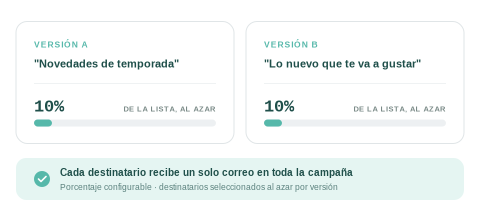
10%
of the mailing list for each A/B test version — a configurable percentage
1
one email per recipient throughout an A/B campaign: no duplicates
0
manual unsubscribes: opt-outs and the blacklist take care of themselves
Kanban
Email Marketing in action
DASHBOARD
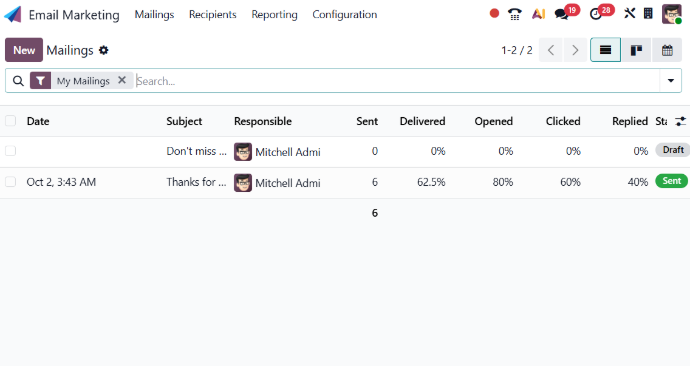
Your mailings by status
Every opportunity has an owner, value, and next action. Your whole team sees the same dashboard in real time.
THE EMAIL
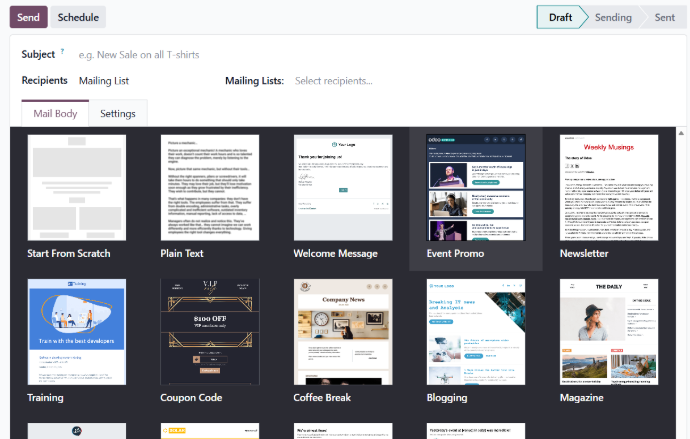
Subject, body and recipients
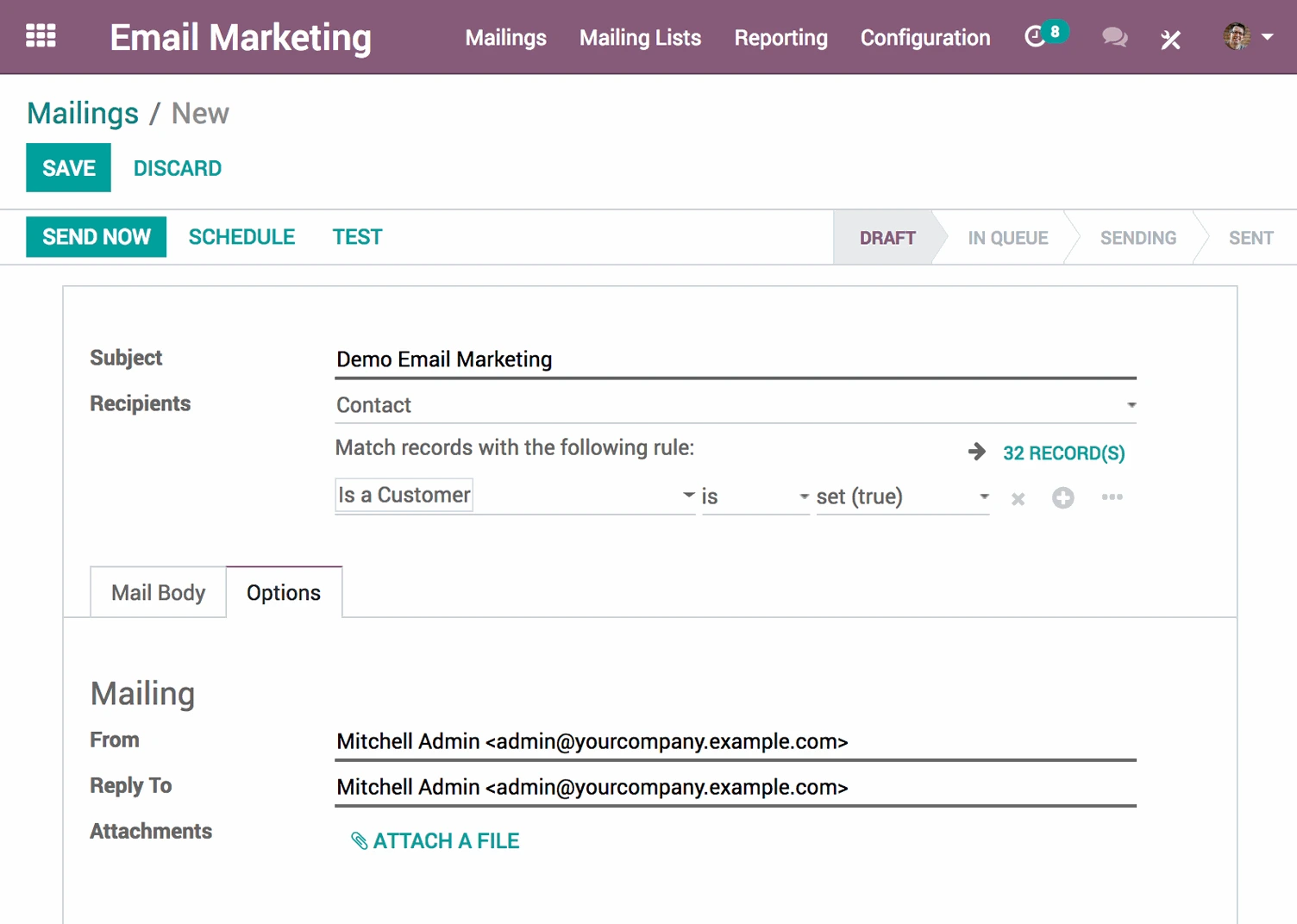
The subject — with emoji if you like — message body, and list- or filter-based recipients, all in one form
A/B TEST
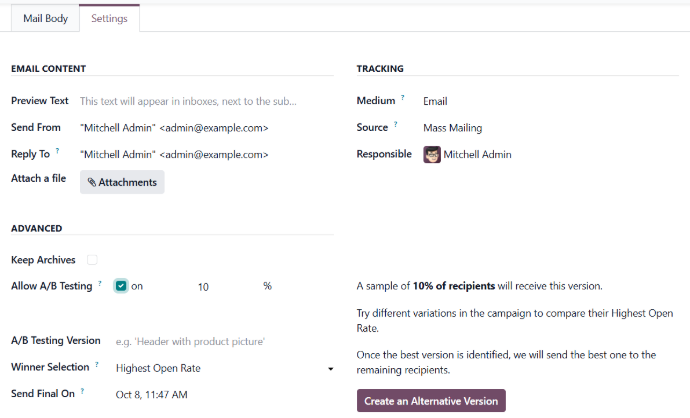
Test before sending to everyone
Different versions sent to a random percentage of the list — each recipient receives just one email throughout the campaign
LISTS
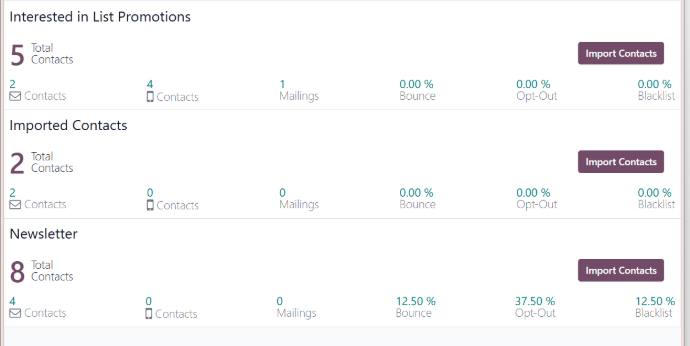
Lists populated from your website
Mailing lists with contacts — connect them to your website so subscriptions automatically add members.
Connected campaigns, not a standalone tool
Odoo Email Marketing isn't a separate platform fed by CSV exports. Recipients are your actual contacts, applicants, and leads — filtered live — and every unsubscribe, open, and campaign remains visible throughout your operations.
Mailing lists with contacts, connected to your website
Percentage-based A/B testing without duplicate recipients
Everything your sales team needs, already included...
Lists and recipients
Mailings go to an email list — or to audiences filtered from your actual data: contacts, applicants, and more, using equation-style filters.
A/B tests with no duplicates
Different email versions sent to a random sample — 10% by default, configurable — and each recipient receives only one email in the entire campaign.
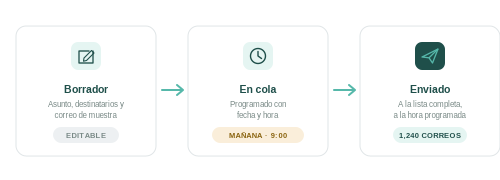
Send, schedule or test
Send to everyone, schedule a date and time — the mailing queues up — or email yourself a test before deciding.
Campaigns
Group email sends into campaigns to organize and compare them — create campaigns from the campaign page or the mailing itself.
Opt-outs and blocklists
Recipients unsubscribe themselves, the blacklist is managed from the module, and contacts blocked by mistake can be unblocked.Reactivating lost leads
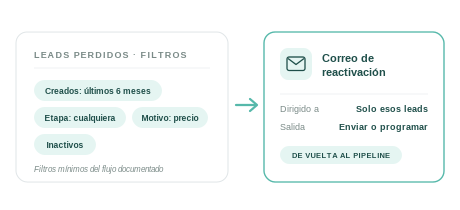
An email targeting lost leads — filtered by creation date, stage, and loss reason — to revive dormant opportunities.
Two issues compete,
your list never knows
With A/B testing enabled, send different versions of the same email — subject, design, or content — to random percentages of recipients. And the golden rule: each recipient gets only one email during the campaign, so nobody sees duplicates in their inbox.
Recipients randomly selected for each version
The list fills from your website,
and cleans itself up
Manageable blacklist — including the option to unblock contacts
The leads that were lost
aren't always lost
The module includes a documented workflow for reviving lost leads: filter by creation date, stage, and lost reason — for example, those who said "too expensive" six months ago — and send an email designed to bring them back into the pipeline. Because CRM and email are part of the same system.
Target only the lost leads you select
Sent or scheduled like any other campaign
WHO IT'S FOR
If your mailing list lives in an exported spreadsheet and no one tracks opt-outs, this is for you.
Newsletter senders
News, promotions, alerts — with lists growing from your website and opt-outs handled automatically, no monthly Excel cleanup
Teams that want to test first
Which subject line gets more opens? A/B testing answers with a sample of your list — without using up your entire audience to find out.
Sales teams using CRM
Lost leads filtered by reason and reactivated by email — pipeline and campaigns in one system.
Businesses paying for a separate platform
If you already use Odoo, your contacts are there — sending campaigns from another platform means exporting, importing, and creating synchronization problems.
FREQUENTLY ASKED QUESTIONS
What we get asked most before getting started
01 How do I choose who receives the email?
02 How does A/B testing work?
Enable testing in the A/B tab and choose the percentage of recipients for each version — 10% by default, adjustable. Odoo selects recipients randomly, and with the test active, each person receives just one email during the campaign. Test subjects, designs, and content without sending duplicates.
03 Can I schedule a mailing or test it first?
Yes to both. The Schedule button sets the date and time — the email stays "queued" until then — and the Test button sends a sample message to an address you choose so you can check it in a real inbox. You can also save it as a draft and continue later.
04 What happens when someone opts out?
05 Can I group mailings into campaigns?
Yes. Email campaigns group several related mailings — launch, reminder, final notice — and can be created from the campaigns page or from an individual mailing's settings.
06 What does reactivating lost leads mean?
It's a documented workflow for messaging only leads marked as lost. Filter them by basic criteria — creation date, previous stage, reason for loss and inactive status — then send or schedule an email designed to bring them back. It works because CRM and email share the same data.
Email Marketing connected to your entire operation

CRM

Social Marketing
Another campaign channel: social media and push notifications managed from the same system.

Website
Where mailing lists begin: website subscriptions feed your email lists without manual entry.

Business Intelligence
Tell us how you send campaigns today
A Wayakna consultant will review your situation and recommend the right implementation without unnecessary complexity.