0
1
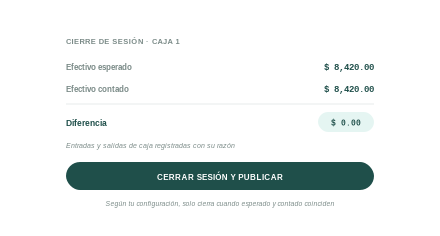
cash drawer checks on opening and closing: expected cash versus counted cash, with discrepancies clearly shown
3
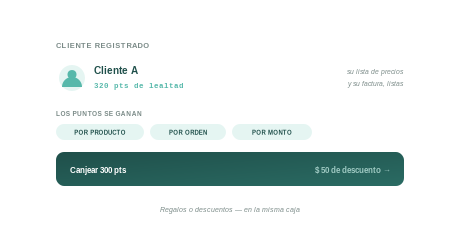
ways to earn loyalty points: by product, order, or sales amount
100%
integrated payments posted directly to Accounting — no manual register reconciliation
Point of Sale for Retail in action
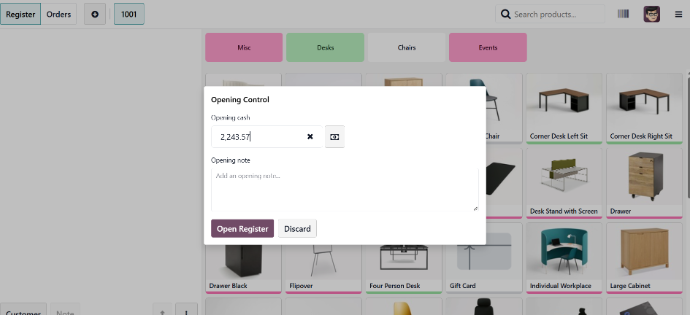
CHECKOUT
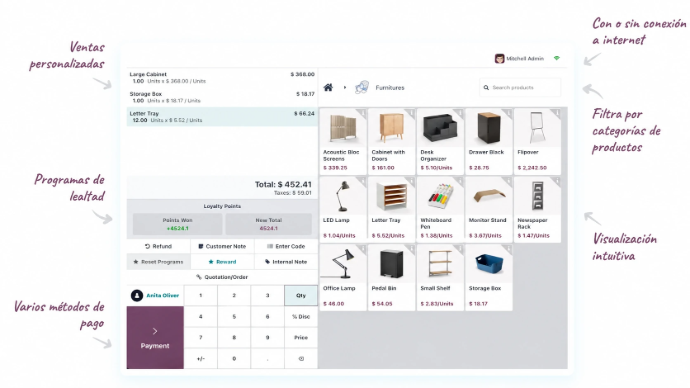
Make a sale in two taps
The catalog, receipt, and payment — on any browser-enabled device
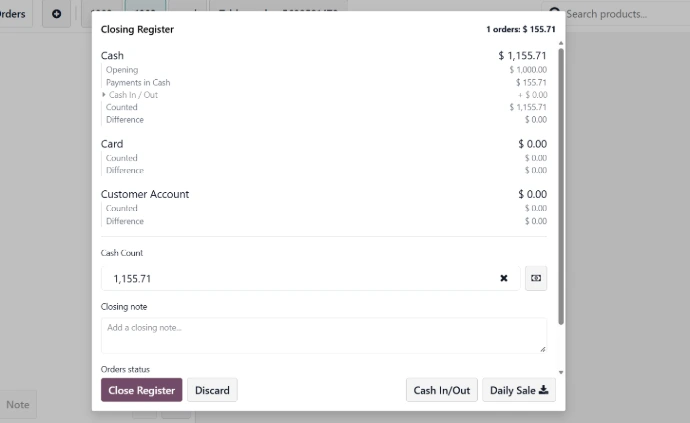
THE CLOSING
Cash that balances
Expected versus counted cash, with differences visible before posting.
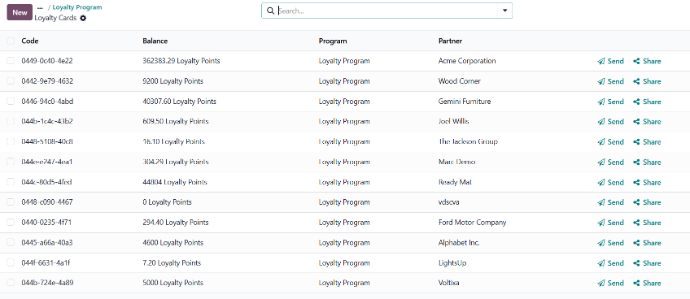
LOYALTY
Points that bring customers back
Registered customers earning and redeeming rewards.
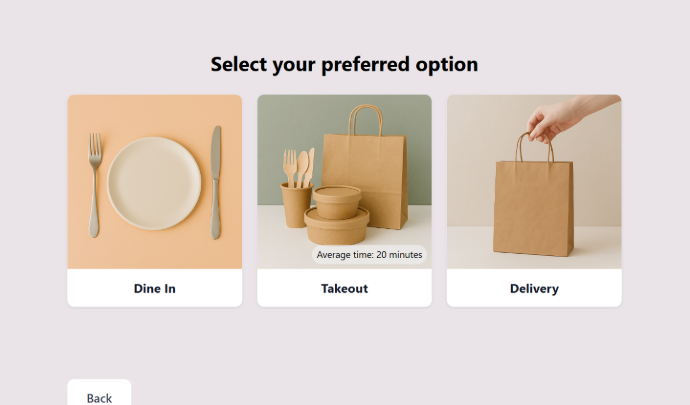
OFFLINE
Sales never stop
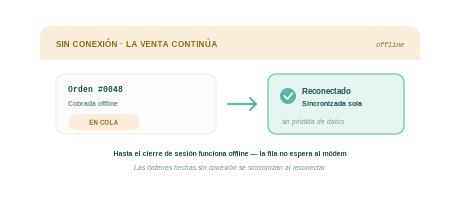
Continue selling offline — everything syncs when connection returns
A point of sale that's part of your system, not an island
Odoo Point of Sale doesn't synchronize with your operation overnight: it is your operation. Every sale immediately reduces stock, payments flow into Accounting, statistics run in real time, and store data is consolidated — including cash control, loyalty, and offline mode.
Runs on any device with a browser
Offline mode: sell and close sessions without losing data
Movements recorded automatically in Inventory
Payments integrated directly with Accounting
Cash control: opening, cash in/out and closing
Loyalty: points by product, order or amount
Everything your event needs, already included...
Controlled sessions
Sessions begin with starting cash control, record cash in and out with reasons, and compare expected with counted cash at close — showing any discrepancy.
Truly offline
Point of Sale keeps working temporarily without internet: offline orders synchronize automatically when connected again, and sessions can even close offline without data loss.
All kinds of payments
Loyalty that brings customers back
Loyalty cards that earn points by product, order, or sales amount — redeemable for gifts or discounts. Register the customer and their points stay with them.
Receipts that boost sales
Printed receipts are customizable: promote current offers, opening hours, and upcoming events — make paper work for you.
Smarter barcodes
Connect scanners, terminals, and cash drawers; embed price, weight, and loyalty directly in your barcodes — and choose which products are available at each Point of Sale.
POS + OFFLINE
The internet goes down
but the sale doesn't
Point of Sale runs in your browser even when temporarily offline: continue taking payments, orders automatically synchronize when internet returns, and sessions can close offline without losing data. Customers don't have to wait for the modem.
Keep selling without a connection
Close sessions offline without losing data
POS + CASH CONTROL
Expected cash,
against the cash counted
Sessions start with cash control and end with reconciliation: the Payments button tells you expected cash, you count using the calculator, and a difference screen shows mismatches — optionally requiring exact matches before closing.
Opening with an initial cash balance
Cash inflows and outflows with recorded reasons
See the difference before publishing
POS + LOYALTY
The registered customer
always comes back for more
Register customers to accumulate loyalty points, apply their price lists, and invoice instantly. Earn points by product, order, or amount — redeem them for gifts or discounts at checkout.
Points by product, order or amount
Redeem points for gifts or discounts
Customer price list and invoice
WHO IT'S FOR
If your point of sale is disconnected from Inventory and Accounting, this is for you.
Stores and convenience shops
Sales immediately deduct stock — Inventory always tells the truth.
Boutiques and retail
Loyalty, customer-specific price lists, and branded receipts.
Businesses invoicing at checkout
The customer's tax ID on their invoice, straight from Point of Sale..
Multi-location chains
Consolidated data across stores and real-time statistics.
FREQUENTLY ASKED QUESTIONS
What we get asked most before getting started
01 What do I need to operate Point of Sale?
Any browser-enabled device: computer, tablet, or whatever you use at the counter. Connect barcode scanners, payment terminals, and cash drawers to speed up service.
02 What if the internet connection drops?
Keep selling: PoS works temporarily offline, orders automatically sync after reconnection, and sessions can even close offline without data loss.
03 How is cash controlled?
Within the session: open by entering starting cash, record cash in and out with amounts and reasons, and compare expected vs counted cash at close. Depending on your settings, you can require the totals to match before closing.
04 How does the loyalty program work?
Register customers and their points accumulate by product, order, or sale amount, redeemable for gifts or discounts. Registration also applies their price lists and enables invoicing.
05 Does it connect with Inventory and Accounting?
Built in: product movements automatically update stock, statistics run in real time, data is consolidated across stores, and payments integrate directly with Accounting.
06 Can I customize receipts?
Yes — printed receipts can advertise current promotions, opening hours, and upcoming events. Barcodes can also embed price, weight, and loyalty information.


