Skip to Content

0

manually entered figures: lists and filters based on your real data

1

history by contact: every SMS stays in the contact's record

100%

automated opt-outs: unsubscribers are added to the blacklist automatically
$ / country
SMS rates by country, shown before sending

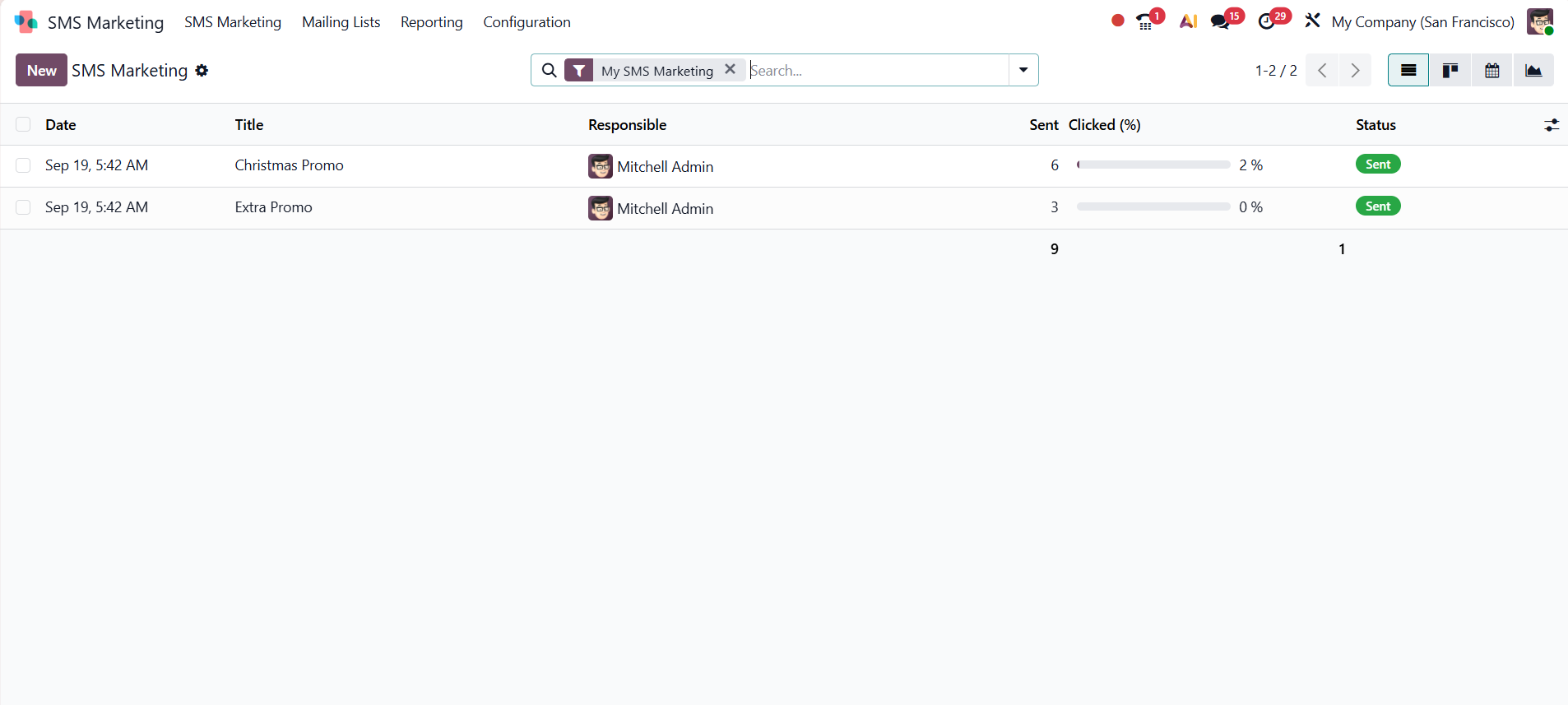
SMS Marketing in action

MESSAGE
SMS measured by character

Every opportunity has an owner, value, and next action. Your whole team sees the same dashboard in real time.
LISTS
Publicly managed lists
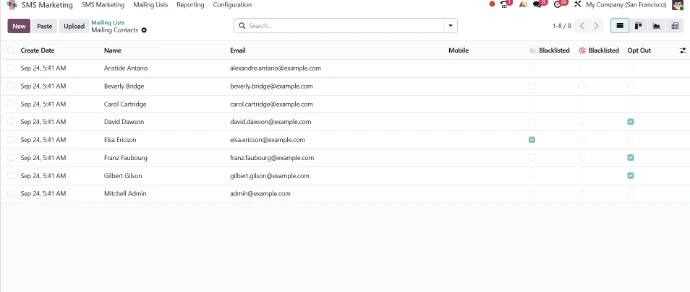
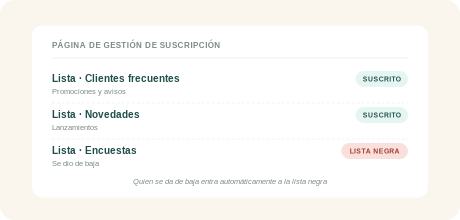
Public mailing lists appear on the subscription management page — recipients update preferences themselves.

RECIPIENTS
Precisely targeted audiences
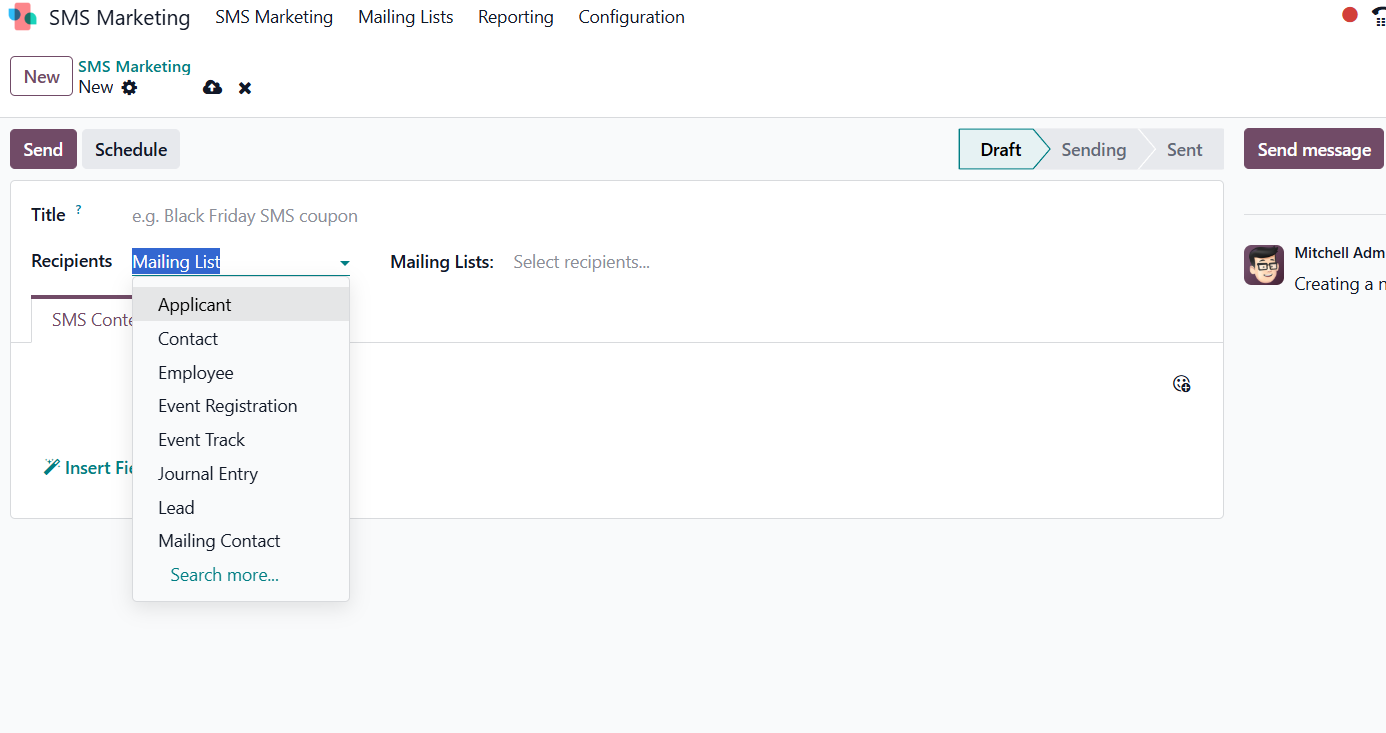
A mailing list — or rule-based filters on your data, combining multiple conditions to precisely target recipients.

HISTORY
What each person received
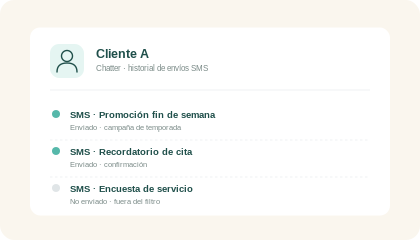
Every send is recorded in the recipient's chatter — Sales can see which SMS promotions a customer received (or didn't).

Connected SMS, not another platform with your Excel contact list

Odoo SMS Marketing works with your real data: recipients are existing lists and contacts, every sent message is stored in the recipient's history, and opt-outs automatically update the blacklist. Your most direct channel, fully connected to operations.

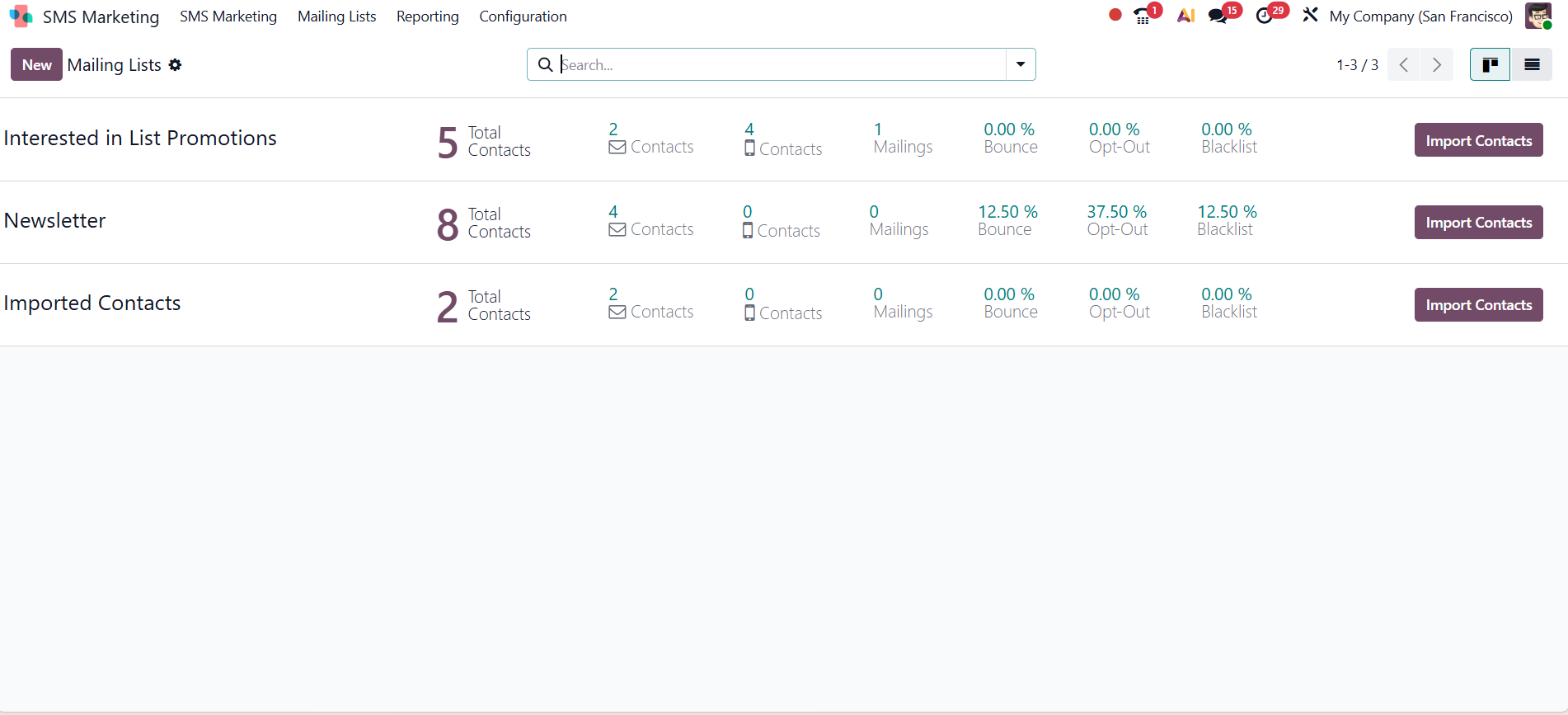
 Mailing lists with contacts and phone numbers

 Equation-based filters to refine your audience

 Character and SMS counters as you type

 Tracked links and emojis in the content

 Credits with country-specific pricing displayed

Automatic blacklisting with every unsubscribe
Everything your SMS channel needs, already included...

1

Real recipients

A mailing list, or any other source with rule-based filters — multiple customizable conditions to target exactly the right recipients.

2

Measurable messaging

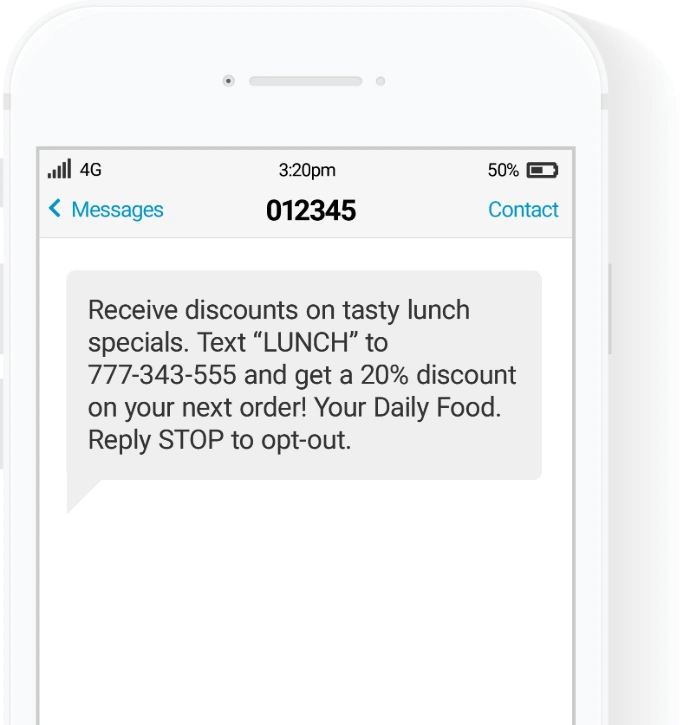
Below the text, Odoo shows the character count and how many SMS messages the full text will take — no cost surprises.

3


Links and emojis
Content can include links and emoji — and Odoo automatically generates link trackers.
4

Clear credit pricing
SMS uses credits bought from Odoo — and you can check country-specific prices with one click before sending.


5

History by contact
Every send is recorded in the recipient's chatter — Sales can see which promotions each customer received (or didn't).


6

Opt-outs and blocklists
People who unsubscribe through their subscription management page are automatically blacklisted — and numbers can also be added manually.

SMS + SUBSCRIPTION MANAGEMENT

Customers decide what they receive,

and the system follows it

Public mailing lists appear on subscription management pages, where recipients can change preferences anytime. Opting out automatically blacklists numbers — protecting customer relationships automatically.

 Public lists visible in subscription management

 Opting out adds the number directly to the blocklist

 Manual blocklist entries when needed
SMS + CONTACTS

Sales knows which SMS

received by each customer

Every send is recorded in the recipient's chatter — an accessible history of everything sent. Before calling a customer, a salesperson can quickly see which SMS promotions they have or haven't received rather than making the same offer twice.

 A record of every message accessible in the chatter

 The conversation history stays on the contact, not another platform

 Sales context before every call

SMS + AUDIENCE FILTERS

The right message,

only to the right people

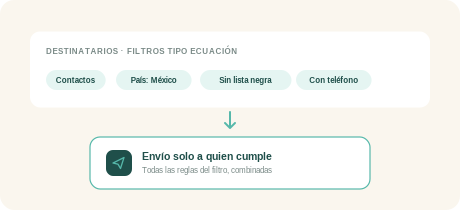
Beyond mailing lists, the recipients field supports other sources with fully customizable equation-style filters that can be combined. For example, contacts in a given country who aren't blacklisted. Odoo only sends to recipients who meet every criterion.

 Configurable domain rules expressed as equations

 Combine multiple rules in one mailing

 Only people who meet the criteria receive it
WHO IT'S FOR 

If email isn't enough and personal WhatsApp accounts no longer work, this is for you.
 
Flash promotions
The weekend buy-one-get-one offer reaches customers' phones — with every character counted and only subscribed customers contacted.


Reminders that prevent gaps
Appointments, expirations, pickups — short messages people actually see, with the history saved on each contact.


Operational notifications
Schedule changes, closed branches, ready orders — the direct channel for news that can't wait until someone checks email.

 
Teams already using email
The natural complement to Email Marketing — same lists, same blacklist, a more urgent channel.

FREQUENTLY ASKED QUESTIONS

What we get asked most before getting started

01 Who receives the SMS?

To a mailing list with its contacts, or an audience defined using equation-style filters from other data sources — with fully customizable domain rules you can combine. Odoo only sends to recipients who meet every configured criterion.

02 How much does sending messages cost?

The module uses credits purchased from Odoo — without credits, SMS messages won't send. Check SMS pricing by country using the information icon before sending, so there are no cost surprises.

03 How many characters can I write?
As many as needed — and Odoo is transparent: below the text field, see character counts and how many SMS messages delivery requires. Content can also include links and emoji.

04 What happens when someone opts out?

When users opt out through their subscription management page, their phone number is automatically blacklisted. The blacklist also supports manual additions. Manage blocked numbers in the module settings; the contact list filters out blacklisted numbers by default.

05 Can I see which SMS messages a customer has received?

Yes — every send is recorded in the recipient's chatter. For example, salespeople can quickly see which SMS promotions particular customers did or didn't receive.

06 Can I include links in messages?
Yes. SMS messages can include links — and Odoo automatically generates tracking links, so every click can be measured.

SMS Marketing connected to your entire operation


Email Marketing

Another campaign channel: mailing lists, A/B testing, and scheduling from the same system.

View module →


Marketing Automation

SMS as an activity in automated workflows — triggered by what recipients do or don't do.

View module →


CRM

Contacts and leads behind every send — SMS history visible to the Sales team.

View module →


Events

Reminders that actually arrive: notify registered attendees through your most direct channel.

View module →

Tell us what you want to communicate by SMS

A Wayakna consultant will review your situation — who you message, how often and where your messages are sent from today — and recommend the right implementation without unnecessary complexity.