4
survey modes: survey, live session, assessment, and custom
%
configurable passing grade: you set the score required to pass
1
automatic emails: certificates are sent directly to those who pass
Live
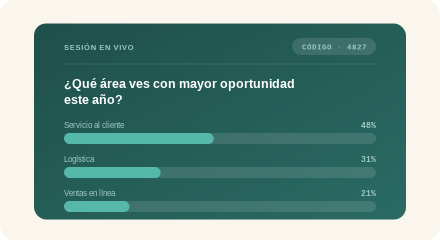
audience responses displayed instantly in bar charts
Surveys App in action
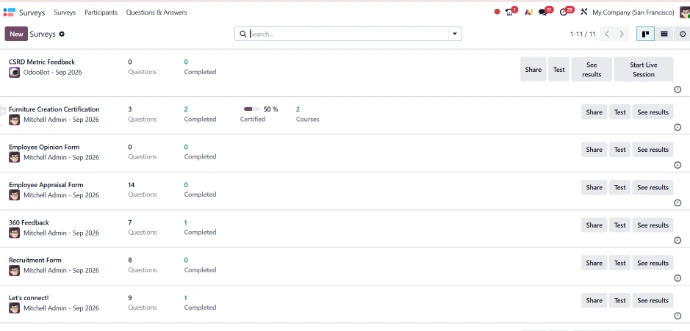
DASHBOARD
All your surveys in one place
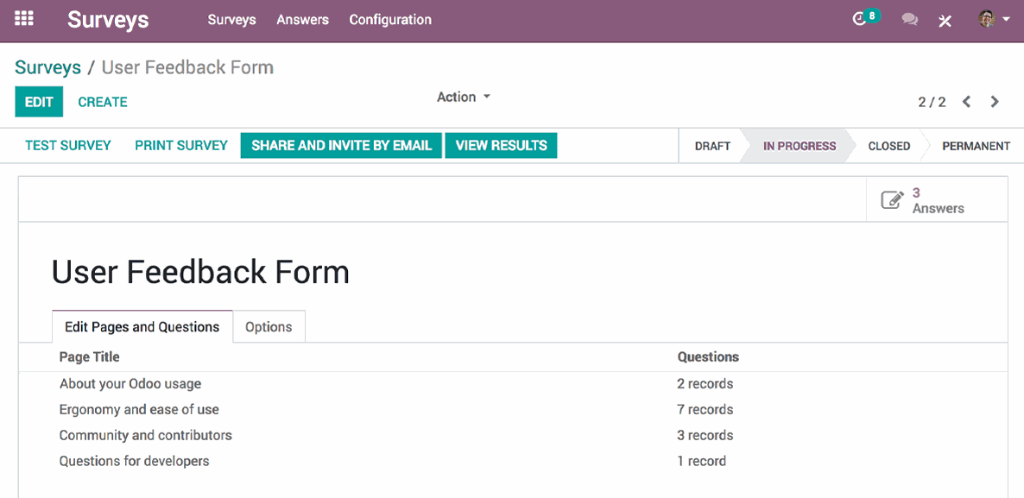
The module dashboard showing all database surveys — with buttons to view results or start a live session for each.
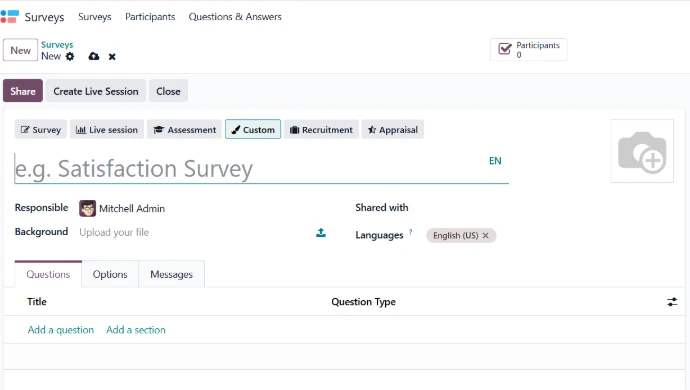
Four types to choose from
Survey, live session, assessment, or custom — select the type at the top of the form to adjust available options.
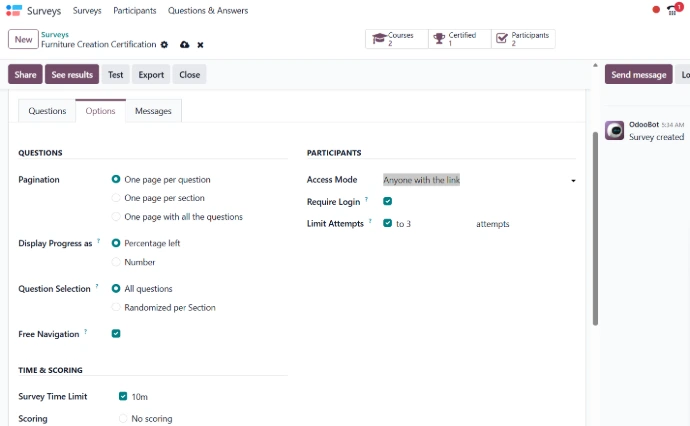
Questions, timing and participants
The Options tab has four sections: questions, time and scoring, participants, and live sessions.
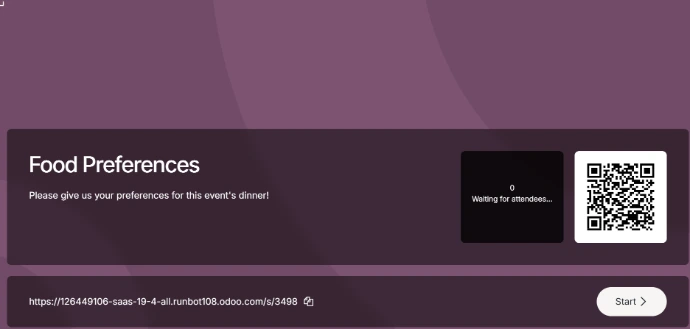
Your audience responds in real time
The host presents questions one by one and reveals audience responses instantly in bar charts.
Asking questions is easy; measuring the answers is harder
Surveys, questionnaires, assessments and certifications
Many question types and options to build them
Scoring with or without answers at the end
Certification with automatic email and badge
Results with detailed metrics and charts
Everything your surveys need, already included...
Survey, live session, assessment, or custom — each mode changes form options, while custom shows them all.
No scoring, scoring with answers at the end, or scoring without answers shown — with scored surveys, you define the passing percentage.
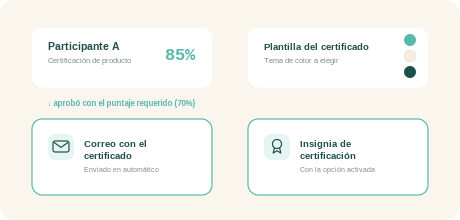
Passing with the required score automatically emails the certificate using your chosen template — and can award a badge.
Time limits for surveys, random questions configurable by section, and attempts allowed per participant.
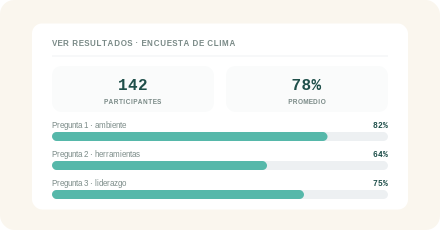
The View Results button opens detailed metrics and charts for participants, questions, and responses.
CUSTOM QUOTATIONS
Who approves, receives
their certificate without having to ask
Mark a survey as a certification, choose a certificate color theme and email template — when participants pass with the required score, Odoo emails it automatically. Enable badges to award them on passing too.
Certificate template with a choice of color scheme
The room responds,
the screen shows it
In a live session, the host presents one question at a time, participants answer on their computers or phones, and the host reveals responses in real time using bar charts. The presentation becomes a conversation guided by the audience.
Answers become
metrics, not another file
From the dashboard, View Results opens detailed metrics and charts covering every participant, question, and answer — in-depth analysis without exporting data. Workplace climate and satisfaction surveys drive decisions rather than filling folders.
See results directly from the dashboard
Participant, question and answer metrics and charts
Analysis inside the system, no exports needed
WHO IT'S FOR
If your surveys live in separate forms and their answers in folders, this is for you.
FREQUENTLY ASKED QUESTIONS
What we get asked most before getting started
01 What types of surveys can I create?
Survey forms offer four modes as radio buttons: survey, live session, assessment, and custom. Each mode adjusts the available options — custom shows them all. Use them for surveys, questionnaires, appraisals, and certifications.
02 How does scoring work?
03 What happens when someone passes a certification?
04 How does a live session work?
05 Can I limit time and attempts or randomize questions?
06 How do I analyze responses?
Surveys connected to your entire operation

Events

Appraisals

