AI
reads vendor bills and creates the accounting entry
0
physical filing cabinets or network folders to maintain
~3s
to find any document with filters and tags
1
a link to request documents from suppliers or employees
Documents in action
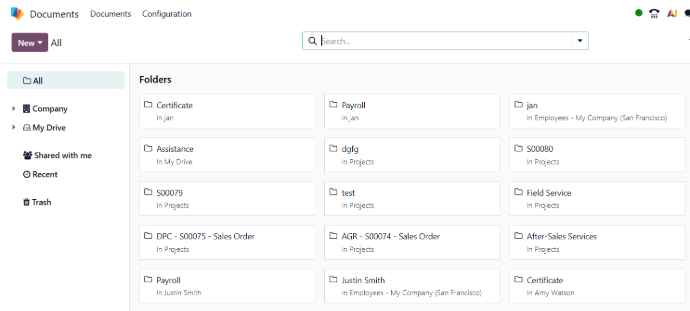
WORKSPACES
Organized by department
Finance, HR, Legal, Project — each department has a workspace, permissions, and tags. Nobody sees what isn't theirs.
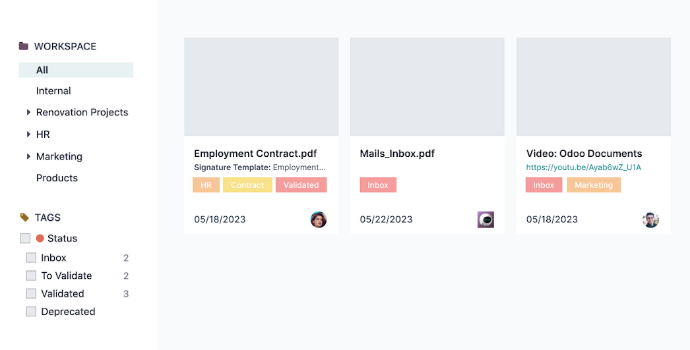
PREVIEW
360° history in one view
PDFs, images, XML, spreadsheets — preview them directly in your browser with actions alongside: validate, assign, or create records.
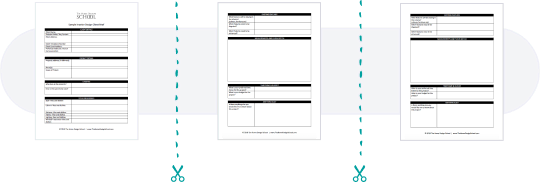
AI DIGITIZATION
Vendor bill captured automatically
PDF or XML files arrive, AI extracts vendors, amounts, taxes, and dates — and creates draft accounting entries for review.
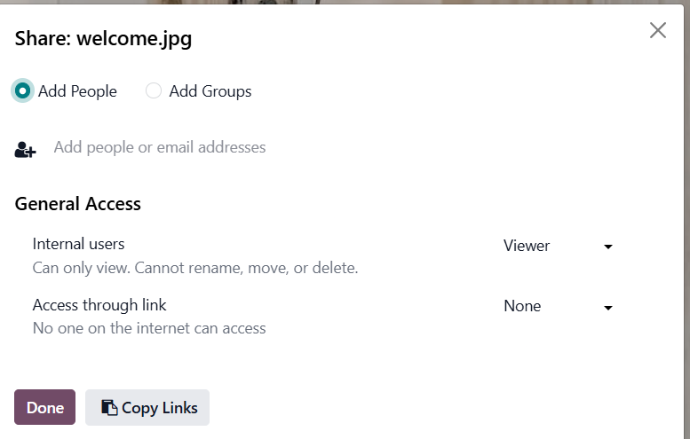
REQUESTS
Document with a URL
Suppliers or employees receive a link, upload their file, and it arrives straight in the correct workspace — no lost email attachments.
Connected documents, not isolated
Odoo Documents isn't just another Drive full of neglected folders. Every document lives alongside its related record — invoices with journal entries, contracts with customers, ID documents with employee records.
Workspaces with permissions by team or department
AI-powered vendor bill digitization
Tags, filters and instant search
Request documents from third parties using a link
Preview without downloading (PDF, XML, images)
Automated actions: validate, assign and create records
Everything your sales team needs, already included...
Workspaces with permissions
Workspaces by department — Finance, HR, Legal, Project — each with its own viewing, editing, and approval permissions.
AI-powered document digitization
Supplier invoices (PDF or XML) are read automatically: AI extracts vendors, amounts, and taxes and creates draft accounting entries.
Document requests
Generate a link and request a file from anyone — supplier, employee, or customer. Uploads land directly in the correct workspace.
Tags and filters
Classify by type, status, period, or whatever your business needs. Search across names, tags, and content.
Controlled sharing
Public or restricted links with expiration dates and read-only or download permissions. No large email attachments.
Automated actions
Every workspace defines what happens to incoming files: create an invoice, assign an owner, request approval, or archive.
DOCUMENTS + ACCOUNTING
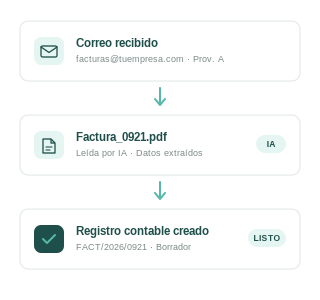
From the supplier's email
to the accounting entry
Each workspace has its own email. Suppliers send invoices there (or you forward them), AI reads them, and draft accounting entries appear — with PDF and XML files attached to the journal entry permanently
Dedicated email address per workspace (invoices@yourcompany)
AI extracts supplier, amounts, taxes and dates
Draft accounting entry ready for validation
DOCUMENTS + SIGN
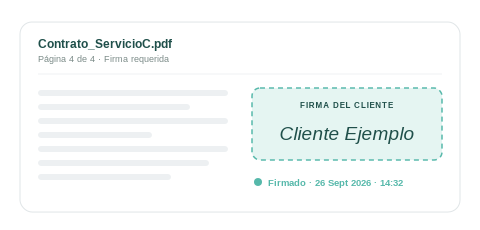
Contracts that get signed
without leaving the system
A contract in Documents can be sent for electronic signature with one click. The signer receives a link, signs from any device, and the signed document returns to the workspace — with legal validity and a timestamp.
Draggable signature, initials, and date fields
Multiple signers, sequentially or in any order
Signed document with a complete audit trail
DOCUMENTS + EMPLOYEES
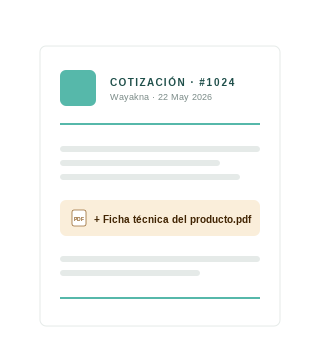
Documents you can view
with your branding, not Odoo's
We design custom PDF templates: branded headers, footers with tax details, and attached product specification sheets. Every quote is ready to send without further edits.
Document checklist by position or contract type
Automatically request missing items
Expiration alerts (certifications, contracts)
WHO IT'S FOR
If your team wastes time finding files among emails, folders and duplicate versions, this is for you.
Finance teams
Businesses receiving dozens of supplier invoices by email weekly — currently entering them one by one into Accounting.
Human Resources
With incomplete employee records, unsigned contracts, and documents expiring without anyone knowing in time.
Legal and administrative teams
Contracts, powers of attorney, corporate records, and policies requiring version control, e-signatures, and role-based access.
Projects and construction
Drawings, progress estimates, permits, and logs by project — shared with customers and contractors through controlled links.
FREQUENTLY ASKED QUESTIONS
What we get asked most before getting started
01 Can AI read Mexican invoices (CFDI in XML)?
Yes. CFDI XML files can be read precisely because they have a structured format: supplier, RFC, line items, taxes, and UUID. Scanned PDFs are processed with OCR, leaving the fields ready for confirmation.
02 Can I request documents from someone who doesn't use Odoo?
Yes. Create a request with a link and let the recipient — supplier, employee, or customer — upload a file through their browser, without an account or system access. The file goes straight to your chosen workspace.
03 How do permissions work by department?
Every workspace determines who can view, upload, edit, or validate. HR can't see Finance, Finance can't see Legal — and each department can set different permissions by role or person.
04 Can documents be signed electronically?
Yes, with the integrated Sign app. Send a document for signature with draggable fields; the signer can sign on any device, and the signed document returns to your workspace with a complete audit trail.
05 What happens to emails with attachments?
Each workspace can have its own email address (for example invoices@yourcompany.com). Everything received there — or forwarded — enters the workspace automatically, with attachments processed.
06 Can I migrate my existing Drive or Dropbox folders?
Yes. Wayakna plans the migration by department: we define workspaces and tags that match your current structure and upload files in batches, prioritizing active documents.
CRM connected to your entire operation

Project
Drawings, permits, progress estimates, and logs organized by project — shared with customers and contractors through controlled links.

Sign
Send any workspace document for signature with one click — and get it back signed with legal validity and a timestamp.

Employees
Every employee has a digital personnel record with document checklists, automatic requests, and expiration alerts.

Accounting
The sales cycle ends with an invoice issued from Odoo, using all the customer information already captured.
Tell us where you store documents today
A Wayakna consultant will review your situation — how many vendor bills you receive, what records you handle and where you store contracts — and recommend the right workspace structure without unnecessary complexity.