3
activity types: email, SMS, and server actions within the system
1
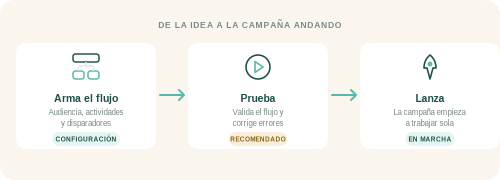
test before launch: validate the workflow and fix issues with confidence
0
sending without visibility: each activity reports sent messages, clicks, replies, and bounces
Branches
child activities triggered by actions or inaction
Marketing Automation in action
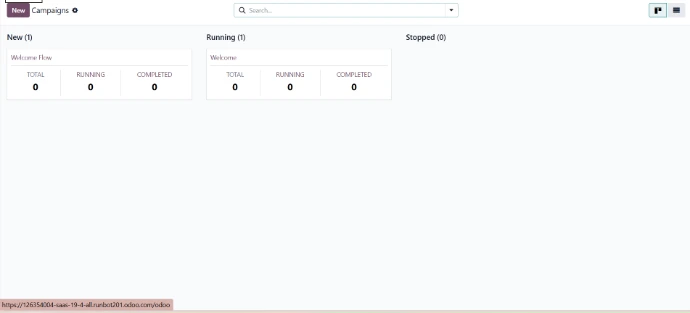
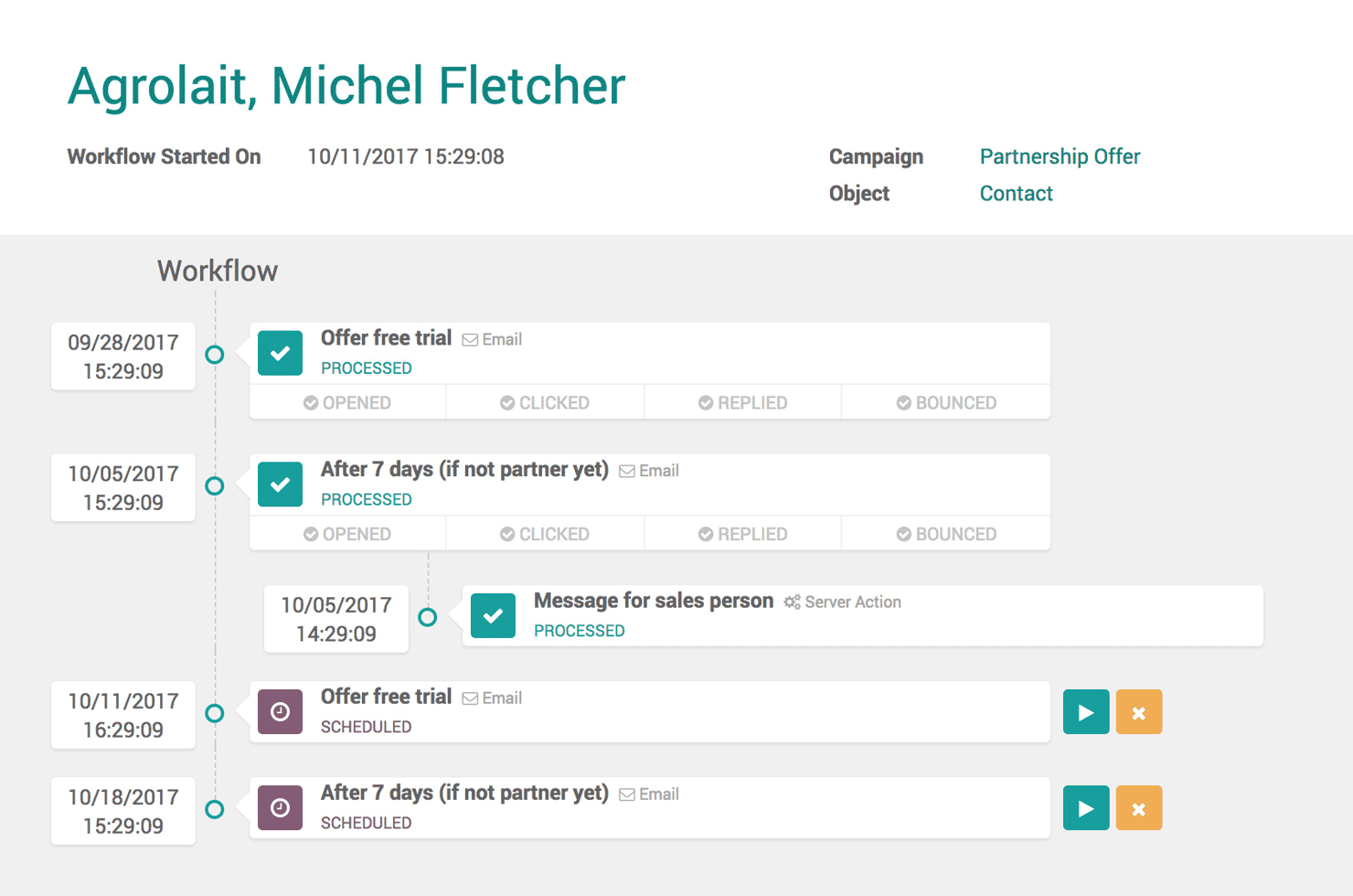
See your entire campaign at a glance
Audience at the top, activity workflow below — each email, SMS, or action with its trigger and branches.
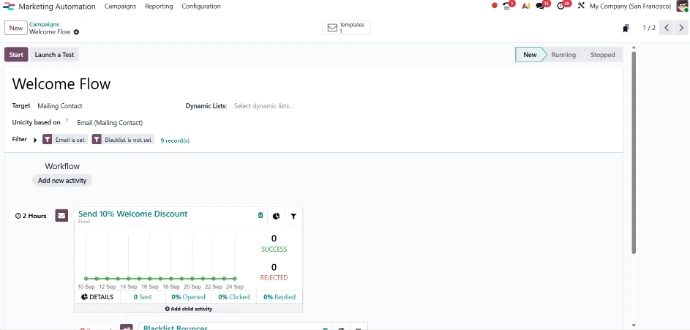
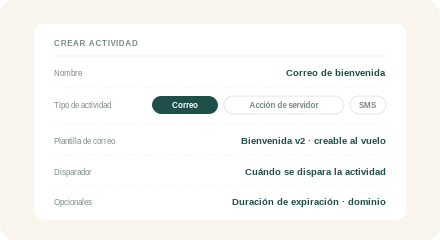
ACTIVITY
Name, type, template and trigger
Configure each activity in its own window: the type (email, SMS or server action), its template and when it is triggered.
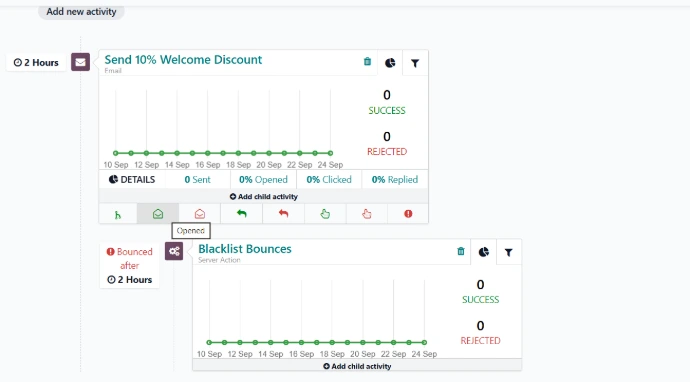
BRANCHES
A workflow that responds
At the bottom of each activity, use Add Child Activity to create a branch triggered by what a recipient did — or didn't do.
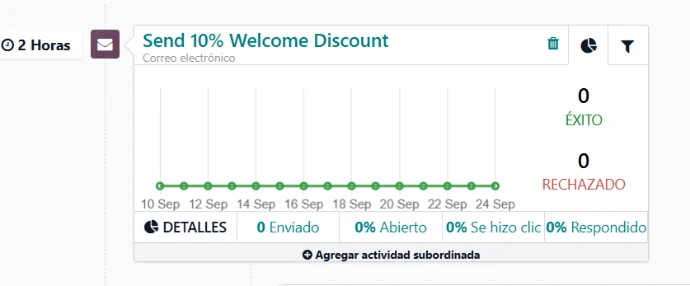
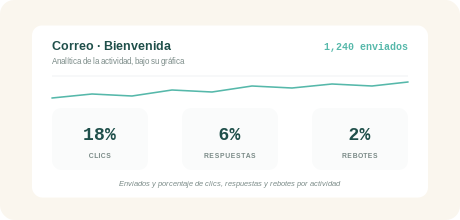
METRICS
Metrics for every activity
Below the chart for each email or SMS activity: how many were sent and what percentage clicked, replied, or bounced.
Follow-ups that no one has time to handle manually
Odoo Marketing Automation takes care of the tasks that always get postponed: welcome emails, reminders for those who didn't open a message, internal notifications when someone clicks. Define your audience once, build the flow, and let campaigns respond to each person based on their actions.
Target audience defined using filters
Email, SMS or server-action activities
Child activities that branch the workflow
Campaigns created from scratch or a template
Test your workflow before launching
Everything your event needs, already included...
Target audience
Define the campaign audience with filters on your data — the workflow reaches that audience, not an exported list.
Three activity types
Email to an audience, SMS to an audience, or a server action — an internal operation executed in the database.
Child activities
Under each activity, add child activities that trigger according to recipients' actions or inaction: clicked, replied, didn't open, or bounced.
Templates on the fly
Event tracks — talks and presentations — with schedules and rooms. Attendees can even propose sessions.
Test before launch
Test campaigns to verify workflows and correct issues before reaching your audience — or launch immediately if the workflow is already trusted.
Metrics by activity
Each email or SMS activity reports how many messages were sent and the percentage of clicks, replies, and bounces.
The campaign replies
to what each person did
Child activities triggered by actions or inactivity
Examples: clicked, replied, didn't open, bounced
It doesn't just send messages:
drives your system
Create activity: schedule follow-up for the team
Send email or SMS, recorded on the document
Every activity has measurable results,
not just the campaign
Sent per activity, with their own charts
Click, reply and bounce rates
Data reveals the weak step in the workflow
WHO IT'S FOR
If follow-up depends on someone remembering, this is for you.
Nurture leads without chasing them
An email sequence that educates cold leads, with a branch that alerts salespeople when someone finally clicks.
Unresponsive contacts receive a reactivation sequence — and the workflow determines the next step based on their response.
Small teams juggling many responsibilities
When there's no staff for manual follow-ups, the workflow handles them — and the team steps in when there's real interest.
FREQUENTLY ASKED QUESTIONS
What we get asked most before getting started
02 How does the workflow branch?
For email or SMS activities, the chart shows messages sent and percentages of clicks, replies, and bounces — step-by-step performance, not just overall campaign totals.
Automation connected to your entire operation

CRM

SMS Marketing
The second channel in your activities — SMS that follows up with people who didn't open the email.

Email Marketing
The pipeline that benefits from the whole workflow — installed alongside Marketing Automation to access all features.

Events
Tell us where follow-ups are slipping through the cracks
A Wayakna consultant will review your situation — which campaigns you repeat, where follow-up gets lost and what you still do manually — and recommend the right implementation without unnecessary complexity.